
Blacksmith Master Steam Deck Guide: Compatibility, Controls & 1.0 Setup
Does Blacksmith Master run on Steam Deck? Check its Playable status, Linux specs, mouse-only controls, and 1.0 features for smooth handheld smithing.
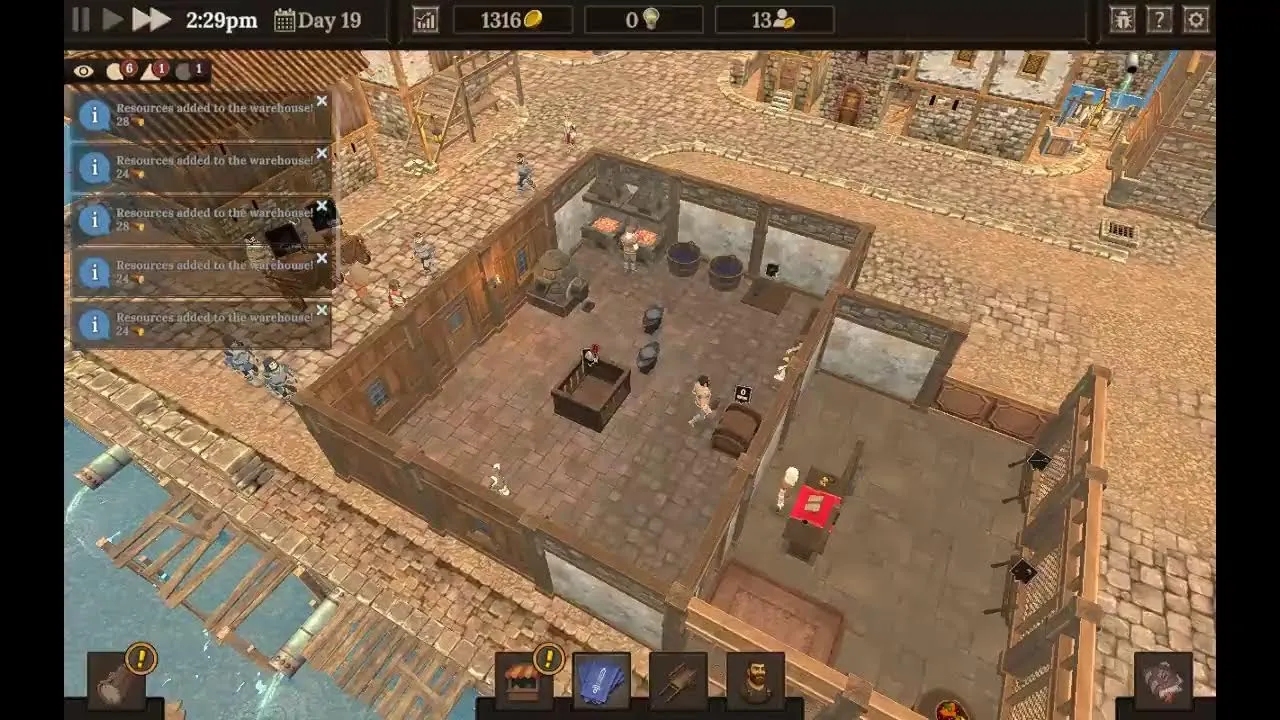
With version 1.0 leaving Early Access on November 19, 2026, handheld players are eager to know how the Blacksmith Master Steam Deck experience holds up away from a desk. Running a multi-story medieval forge involves constant layout tweaks, staff menus, and production tracking, so operating system support, text legibility, and input comfort determine whether the game feels relaxing or tedious on a portable screen. The short answer is encouraging: the game runs natively on SteamOS with an official Playable badge, though getting the best Blacksmith Master Steam Deck setup depends on pairing its built-in mouse-only accessibility tools with smart handheld input adjustments.
Official Blacksmith Master Steam Deck Compatibility and Platform Status
According to the official Blacksmith Master Steam store page, the game carries an official Playable rating for Steam Deck and includes native support for SteamOS + Linux alongside Windows and macOS. Developed by Untitled Studio (solo developer Luka) and published by Hooded Horse, the management sim originally entered Early Access on May 15, 2025, before launching its full 1.0 release on November 19, 2026, as confirmed in the official Blacksmith Master 1.0 release announcement.
At the 1.0 launch, the standard US retail price is $19.99, paired with a 50% launch discount dropping it to $9.99 through December 3 on Steam. Beyond Steam, the game is officially available DRM-free via the Blacksmith Master GOG store page, as well as on the Epic Games Store and Xbox on PC. For handheld owners specifically, buying on Steam provides native SteamOS integration, Steam Cloud save syncing between desktop and portable play, Family Sharing, and 72 Steam Achievements.
One practical detail worth noting is what remains unconfirmed in official listings. While Steam confirms the Blacksmith Master Steam Deck rating as Playable, neither Valve’s public store summary nor the developer’s 1.0 announcements publish official frame-rate benchmarks, battery-life estimates, or a roadmap for native gamepad UI icons.
| Platform & Feature | Official Status | Impact on Steam Deck Play |
|---|---|---|
| Steam Deck Compatibility | Playable | Runs on handheld hardware without needing a desktop PC |
| Operating System Support | Native SteamOS + Linux, Windows, macOS | Native Linux build avoids mandatory desktop workarounds |
| Version & Save Compatibility | 1.0 (November 19, 2026); Early Access saves compatible | Returning players keep existing workshops without restarting |
| Save Syncing | Steam Cloud supported | Seamless switching between PC and Steam Deck |
| Play Mode | Single-player only | Focused solo sandbox management; no co-op or multiplayer |
| Language Support | 17 languages (interface and subtitles) | Broad text localization for portable reading |
Controls, Input Adjustments, and Accessibility Settings
The main reason the game sits at Playable rather than Verified comes down to input design. The Steam store metadata lists no official native controller support tag, confirming that Blacksmith Master is built primarily around mouse-and-keyboard controls. Because of that design, Blacksmith Master Steam Deck players typically rely on trackpad-as-mouse input or community controller layouts configured through Steam Input rather than expecting twin-stick console bindings out of the box.
Fortunately, Untitled Studio built several accessibility features directly into the game that make mouse-first handheld play much smoother. Most notably, the official Steam feature list confirms a dedicated Mouse Only Option, which removes the need to reach for keyboard shortcuts while building walls, assigning workers, or checking customer orders. Combined with Adjustable Text Size and Camera Comfort, players can tailor menus and camera movement to the Deck’s compact screen without squinting at worker stats.
Player experience from early gameplay demonstrations also highlights a major structural advantage for portable play: you never have to force yourself through hands-on crafting mini-games if they feel finicky on a handheld. While you can step directly into the forge to heat, hammer, and quench items for bonus gold, player experience confirms that you can also run the entire shop strictly from management menus as an administrator. Choosing that hands-off managerial style turns the Blacksmith Master Steam Deck loop into a relaxed, pointer-friendly experience ideal for couch sessions.
| Built-In Feature | Accessibility Category | Why It Matters on Steam Deck |
|---|---|---|
| Mouse Only Option | Input | Lets trackpad-as-mouse or community layouts handle full gameplay without keyboard bindings |
| Adjustable Text Size | Visual | Keeps blueprints, staff salaries, and mastery goals readable on a handheld display |
| Camera Comfort | Visual | Helps fine-tune panning and viewing angles across multi-story workshops |
| Save Anytime | Gameplay | Supports quick pick-up-and-play portable sessions with zero lost progress |
| Adjustable Difficulty | Gameplay | Switchable Relaxed, Normal, and Hard presets let you tune management pressure anytime |
| Custom Volume Controls | Audio | Easy to balance ambient smithing audio for headphones or quiet spaces |

|Steam Deck| Live🔺 Blacksmith Master
Linux System Requirements and Portable Hardware Fit
Because the game ships with a native SteamOS and Linux version, its official system requirements offer a clear baseline for what the simulation expects. Both the minimum and recommended hardware targets on the official Blacksmith Master Steam store page are remarkably modest compared to modern 3D releases, requiring only 2 GB of storage space and 4 GB to 8 GB of RAM.
| Hardware Component | SteamOS + Linux Minimum | SteamOS + Linux Recommended |
|---|---|---|
| Processor | Intel Pentium G3250 (dual-core) / AMD FX-8350 (quad-core) | Intel Core i7-6700 (quad-core) / AMD Ryzen 5 3400G (quad-core) |
| Memory | 4 GB RAM | 8 GB RAM |
| Graphics | NVIDIA GeForce GTX 650 (1 GB) / AMD Radeon HD 7770 (1 GB) | NVIDIA GeForce GTX 760 (2 GB) / AMD Radeon RX 550 (4 GB) |
| Storage | 2 GB available space | 2 GB available space |
For handheld users, that 2 GB footprint means you can keep Blacksmith Master installed on internal storage or a microSD card without juggling space for larger titles. More importantly for late-game workshops, the Blacksmith Master 1.0 preview announcement introduced a new pathfinding system that lets NPCs move at any angle instead of snapping to 45-degree increments. The developer specifically noted that this rewrite improves both visual movement smoothness and performance, which helps keep large multi-story smithies responsive during busy Blacksmith Master Steam Deck sessions.
Still, because official per-device FPS targets, wattage recommendations, and battery-drain numbers are not published in the official documentation, players should treat performance tuning as an individual preference inside SteamOS rather than expecting guaranteed frame-rate presets.
Version 1.0 and Quality-of-Life Upgrades That Streamline Portable Management
Mouse-driven simulation games often stumble on handhelds when players have to click through dozens of identical menus to adjust workers or restock shelves. Across its Early Access updates and the 1.0 launch, Blacksmith Master added several workflow improvements that cut down repetitive clicking and make portable management far less demanding.
- Overhauled Staff Management: Update #15 added a list view and multi-edit checkboxes to the Staff menu, letting you inspect traits, salaries, blacksmith crafting preferences, and assistant resource focuses at a glance and update multiple workers simultaneously.
- Smarter Workshop Automation: Updates #5, #6, and #13 introduced multi-smith furnaces for two or four blacksmiths, simultaneous queue-free access to ingot storage and ore crates, compact 1x1 ingot storage, source-and-destination storage toggles, a unified “Restock resources” assistant duty, and smarter chest prioritization.
- Better Session Pacing and Bulk Controls: Update #11 added bulk custom item pricing (where raising a price by 10% lowers demand by 20% and cutting prices boosts demand at a 2x ratio) alongside switchable Relaxed, Normal, and Hard difficulties, while Update #14 lets you close the shop manually to restock displays cleanly.
- Full 1.0 Endgame Depth: Version 1.0 adds 6 unique Master Workers (one of each role), 5 multi-stage Siege Machines requiring over 100 individual pieces each, 12 Set Item collections totaling 36 craftable items, Common-to-Mythic Item Tiers, Random Events, customer-only doors, and Ultra 6x game speed—all playable on existing saves alongside earlier systems like Ducat Minting and dedicated Scholar design tables.
| Update Milestone | Key Quality-of-Life Feature | Benefit for Handheld Management |
|---|---|---|
| Update #5 & #6 | Multi-smith furnaces, 1x1 storage, source/destination toggles | Fewer traffic bottlenecks and less manual workshop micromanagement |
| Update #11 | Bulk item pricing and switchable difficulty modes | Cuts repetitive per-item clicking and lets you adjust challenge anytime |
| Update #13 & #14 | Smarter assistant chest priority and manual shop closing | Cleanly pause customer rush to redesign layouts or restock displays |
| Update #15 | Staff list view with multi-edit checkboxes | Batch-edit worker duties and filters with minimal trackpad movement |
| Version 1.0 | Free-angle pathfinding, customer-only doors, Ultra 6x speed | Smoother performance, cleaner traffic flow, and faster portable pacing |
Practical Setup Tips for Playing Blacksmith Master on Steam Deck
Getting comfortable with a Blacksmith Master Steam Deck playthrough comes down to leaning into the game’s built-in options before your workshop scales into multiple floors and siege projects.
- Turn on the Mouse Only Option first: Pair the in-game Mouse Only Option with trackpad-as-mouse movement or a top-rated community controller layout so every build, drag, and menu interaction works smoothly without invoking the on-screen keyboard.
- Increase text size right away: Configure Adjustable Text Size and Camera Comfort on launch so the 5-factor Worker Happiness indicators, blueprint rarity upgrades, and Master Worker bonuses stay legible during longer handheld sessions.
- Close the shop before big renovations: Use the manual shop closing option and Real-Time with Pause whenever you expand walls, add customer-only doors, or reorganize adjacent Scholar design tables for their collaboration bonus.
- Let your staff handle the hammering when relaxing: If timing the forging mini-games feels awkward on a portable grip, manage production through the multi-edit Staff menu and speed through busy workdays with Ultra 6x speed.
- Keep reference guides handy: When expanding into Ducat Minting or 100-piece Siege Machines on the go, the developer points players to the Blacksmith Master Official Community Wiki and the official Steam beginner’s guide for production details, while Steam Cloud keeps your save synced between PC and handheld.
Frequently Asked Questions
Is Blacksmith Master Steam Deck Verified or Playable?
On the official Steam store page, Blacksmith Master is rated Playable for Steam Deck and features native SteamOS + Linux support. It does not currently carry a Steam Deck Verified badge or an official full native controller support tag.
Do Early Access saves carry over to Blacksmith Master 1.0 on Steam Deck?
Yes. The developer confirmed in the 1.0 launch announcement that all Early Access save files are fully compatible with version 1.0, so you can continue an existing smithy without restarting. With Steam Cloud enabled, your progress also syncs automatically between desktop PC and Steam Deck.
Can you play Blacksmith Master on Steam Deck without a keyboard?
Yes. Although the game was designed around mouse-and-keyboard controls, it officially includes a Mouse Only Option in its accessibility settings. Combined with Steam Deck’s trackpad-as-mouse functionality or a community controller layout, you can manage your shop, staff, and orders without attaching an external keyboard.
Does Blacksmith Master support multiplayer or co-op on Steam Deck?
No. According to its official Steam store metadata, Blacksmith Master is strictly a single-player game, with no multiplayer or co-op modes listed.
Related guides: Multiplayer & Co-op Status · Save File Location · Tips and Tricks · Platforms & Specs Hub
Related Articles
community
Blacksmith Master Discord: Official Invite, Dev Feedback & 1.0 Hub
Join the official Blacksmith Master Discord for 1.0 layout tips, bug reports read by solo dev Luka, and verified links to the wiki and Reddit.
community
Blacksmith Master Mods Guide (1.0): Nexus Tools & Vanilla Options
Check Blacksmith Master mods status in 1.0, popular Nexus Mods QoL tools, BepInEx update risks, and built-in vanilla features worth using.
community
Blacksmith Master Reddit: Official Subreddit & 1.0 Community Builds
Find the official Blacksmith Master Reddit hub at r/Blacksmith_Master, explore 1.0 build discussions, and use official wiki and Steam guides.
Was this helpful?
Thanks for the feedback!